Send anywhere, accept everywhere.
Create links to accept payments through e-wallets, banks, QR codes, and cards. No website needed — just send a link and get paid.
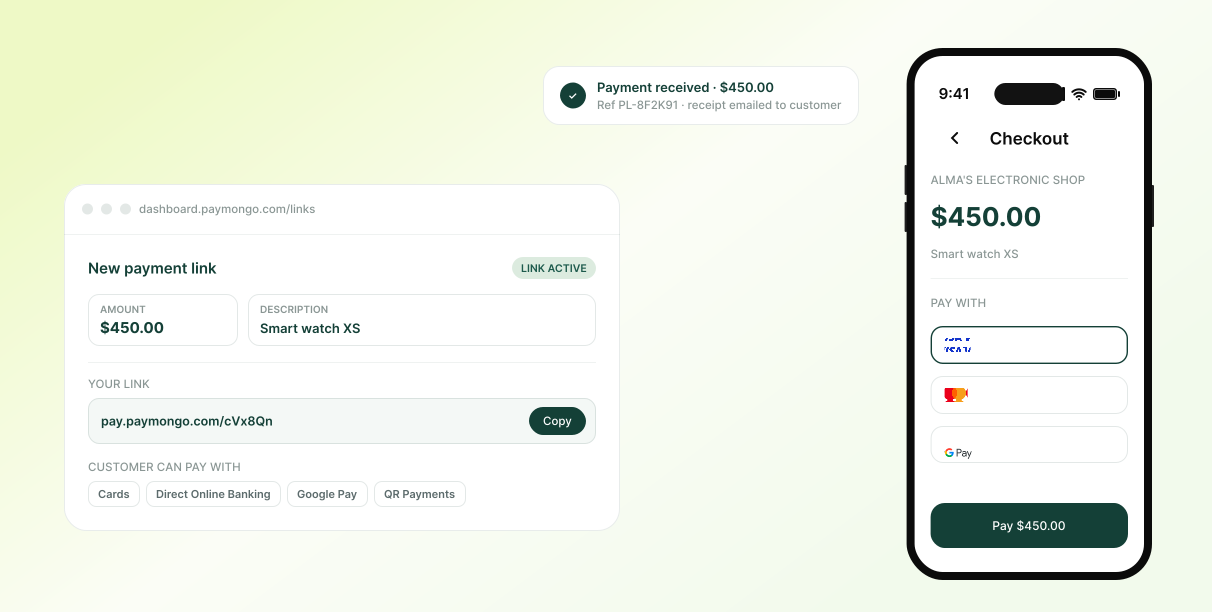
One link. Every way your customers want to pay.
From the first message to a confirmed payment, Payment Links handle the parts that used to cost you time and trust.
Accept Payments
Payments, simplified
Send a payment link through any messaging app. Customers tap it, pick their preferred method, and pay — no account numbers to copy and no proof-of-payment screenshots to send.
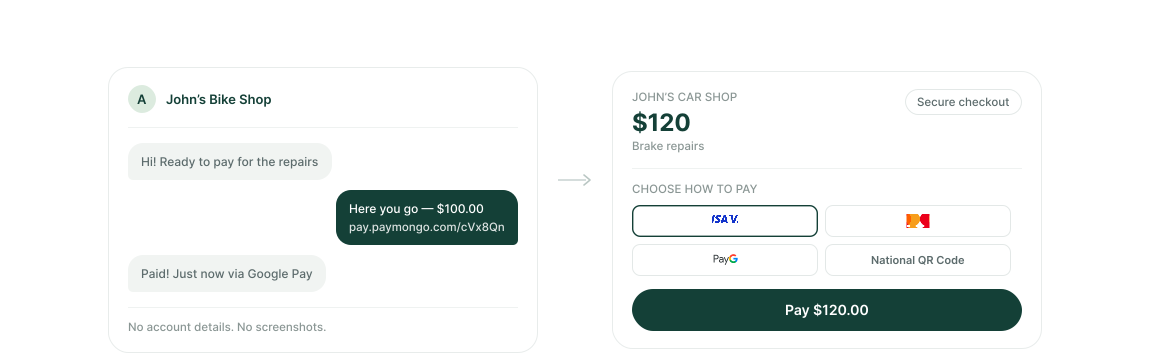
Secure Payments
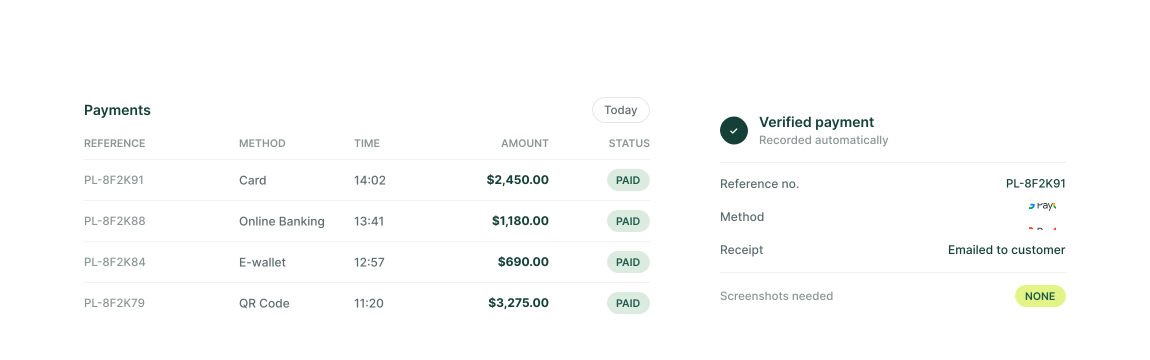
Your dashboard is the proof
Every completed payment appears on your PayMongo Dashboard automatically. Skip the “did it go through?” follow-ups and the risk of edited screenshots.
How it works
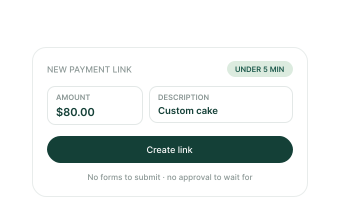
Sign up and create a link
Create a free account, enter an amount and a short description, and your payment link is ready to share. No code, no approval wait.
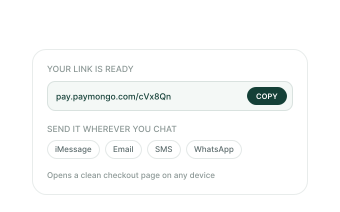
Share the link
Copy the link and send it wherever you already talk to your customer. It opens a clean checkout page on any device.
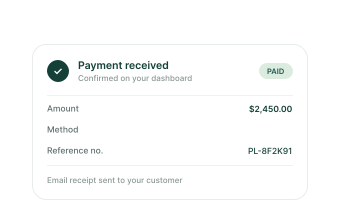
Get paid your way
Your customer pays via their preferred method. You see a confirmed payment on your dashboard and receive an email automatically.
Questions, answered
Not quite. A single-app request only works if your customer uses that specific wallet. A PayMongo Payment Link opens a full checkout page that accepts cards, e-wallets, online banking, QR, and BNPL — all in one link. You send one link; your customer pays however they want.
When a customer pays through a PayMongo link, the transaction is verified and processed by PayMongo — not self-reported. You'll see the confirmed payment on your dashboard in real time, along with a unique reference number for every transaction. No screenshots. No manual checking.
No. The Payment Link is a no-code feature inside your PayMongo Dashboard. You fill in an amount, add a note, and click generate. That's it. There's no monthly fee and no setup cost — you're only charged a small transaction fee when a payment is successfully made.
PayMongo charges a transaction fee only on successful payments — there's no monthly subscription and no minimum volume. You can find the current rate on our pricing page. If no payment is made, you're not charged anything.
Payment Links are designed as one-time-use links to prevent duplicate or accidental payments. For a reusable payment destination — such as a page you share with all customers — PayMongo Pages is the right product for that.
Accept payments with ease.
Create a payment link, share it anywhere, and let customers pay through their preferred method. Every payment is recorded on your Dashboard automatically.